- Run a Journal Entry
- Journal Entry Parameters
- Export
- Journal Entries Before and After Transition
- Frequently Asked Questions
What is a journal entry?
A journal entry is used to record business transactions in the general ledger. The calculations required for these journal entries are critical. A lease amortization schedule helps calculate your journal entries under the new lease accounting standards.
How do they work in LeaseGuru?
With LeaseGuru, users can generate monthly, ledger-agnostic journal entries for individual leases and/or your entire organization by classification. Users can view and run journal entries on all LeaseGuru plans.
You may run journal entries up to the current month in LeaseGuru. Future journal entries are not available at this time.
Run a Journal Entry
Users can view and run journal entries on all LeaseGuru plans. You may run journal entries up to the current month in LeaseGuru. Future journal entries are not available at this time.
Journal Entry Parameters
Before running a journal entry, the following parameters must be selected:
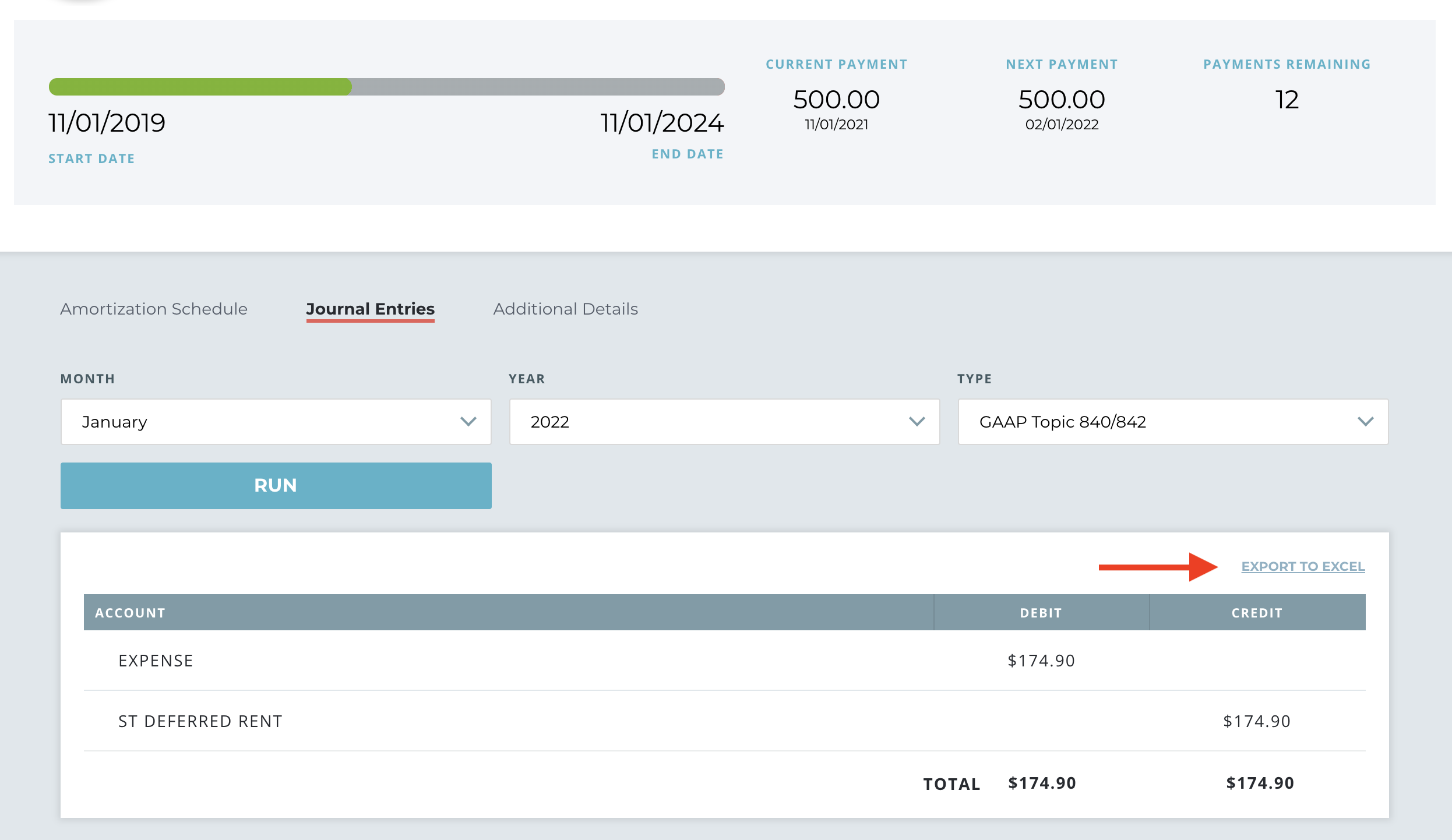
- Month - The journal entry can be viewed by month or for custom calendar years, by period. The journal entries will show the values as of the end of the month/period selected. The month selected can be any month up to the current month.
- Year - The year for which the journal entry should be run.
- Lease Type - Journal entries can be run by operating or capital type.
- Report Type - Journal entries can be run by Statutory Accounting or GAAP
- Currency - Journal entries can be run using local/transactional currency.
To run a journal entry for an individual lease, follow these steps:
1. Log in to your LeaseGuru account.
2. Add a lease by selecting the "Add Lease" button in your account dashboard. (Note: If you already have a lease in your account, then you can skip this step.)
3. Select a lease from your dashboard.
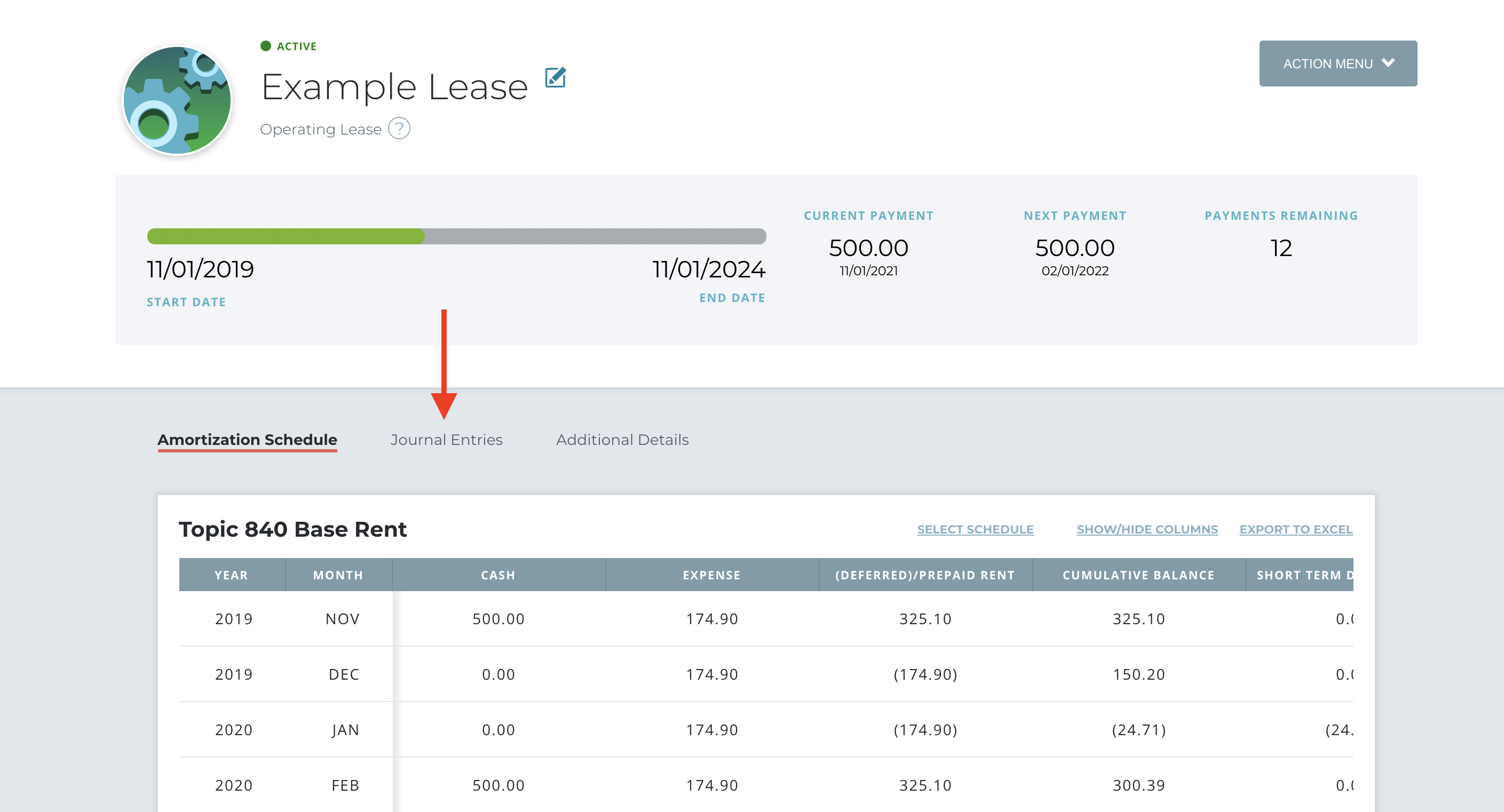
4. Scroll past the lease details, and select "Journal Entries".
5. Next, select the month and year for which you would like to run the journal entry.
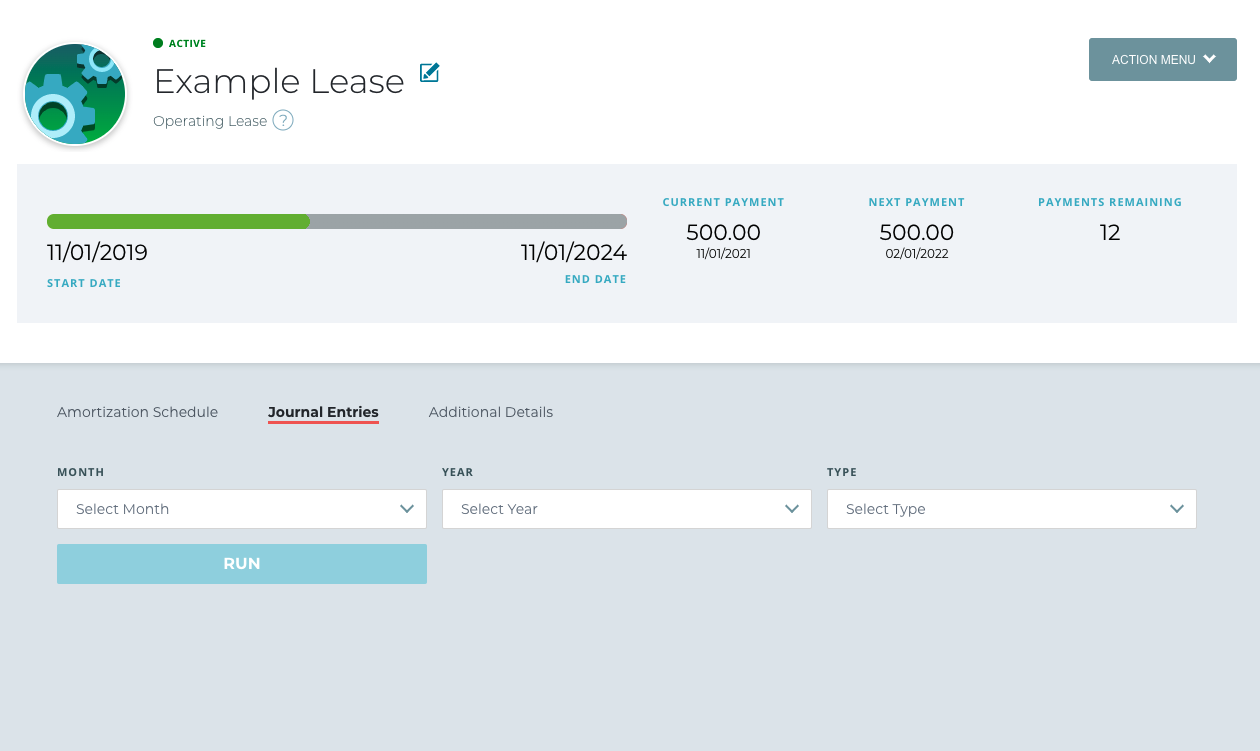
6. Select the type of journal entry that you would like.
- Statutory Accounting: Journal entries under Statutory Accounting will return results only using old lease accounting standards.
- GAAP Topic 840/842: Running Journal entries prior to your transition month/year will return results under the old lease accounting standard while running Journal entries on or after your transition month/year will return results under the new lease accounting standard.
7. Click the "Run" button to generate your journal entry. (Note: This may take a minute to populate.)
To run a journal entry for your lease portfolio by classification, follow these steps:
1. Log in to your LeaseGuru account.
2. Add a lease by selecting the "Add Lease" button in your account dashboard. (Note: If you already have a lease in your account, then you can skip this step.)
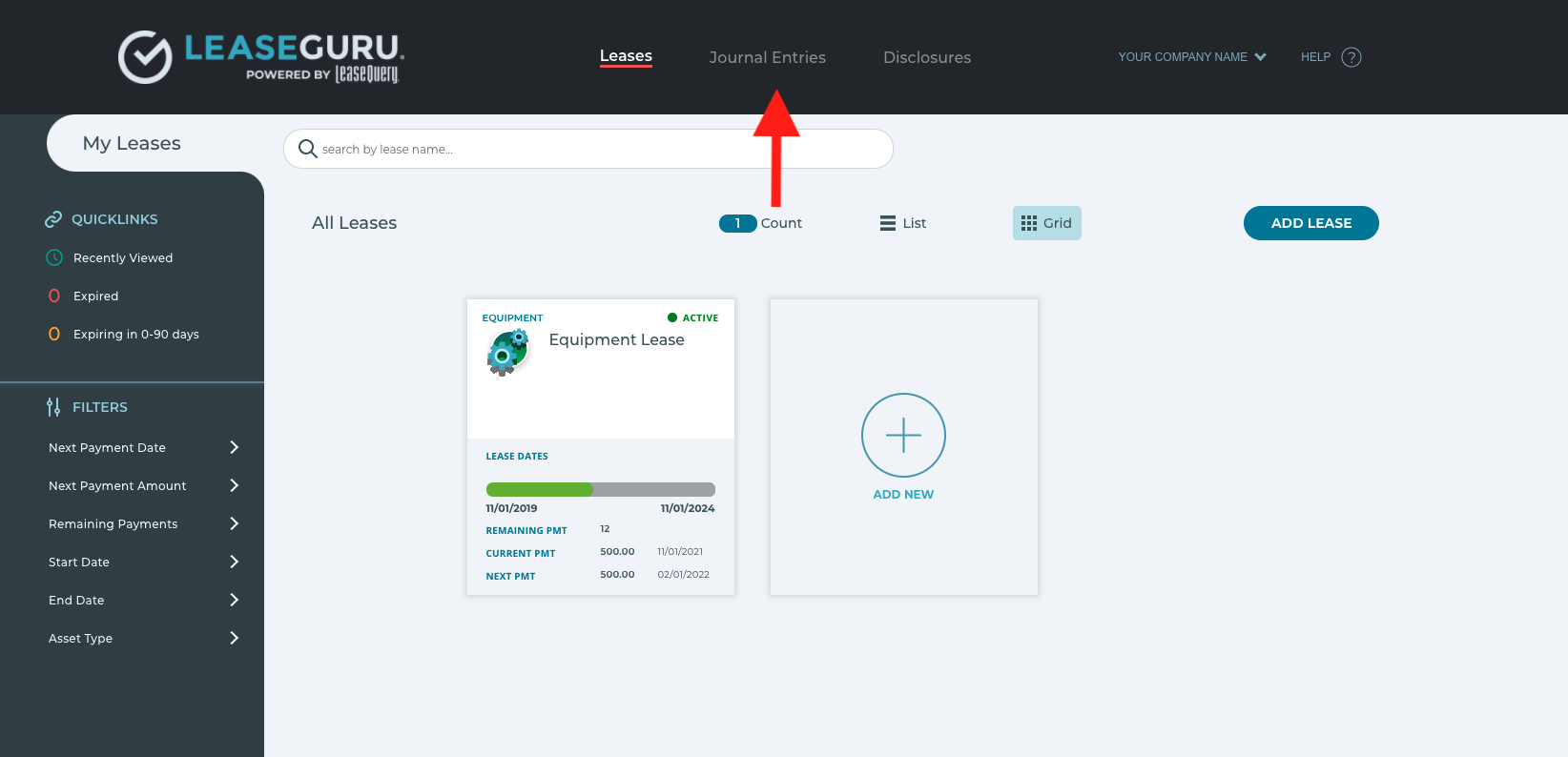
3. From the account dashboard, select "Journal Entries" in the top navigation bar.
4. Next, select the month and year in which you would like to run the journal entry. (Note: You can run journal entries up to the current month. Future journal entries are not available at this time.)
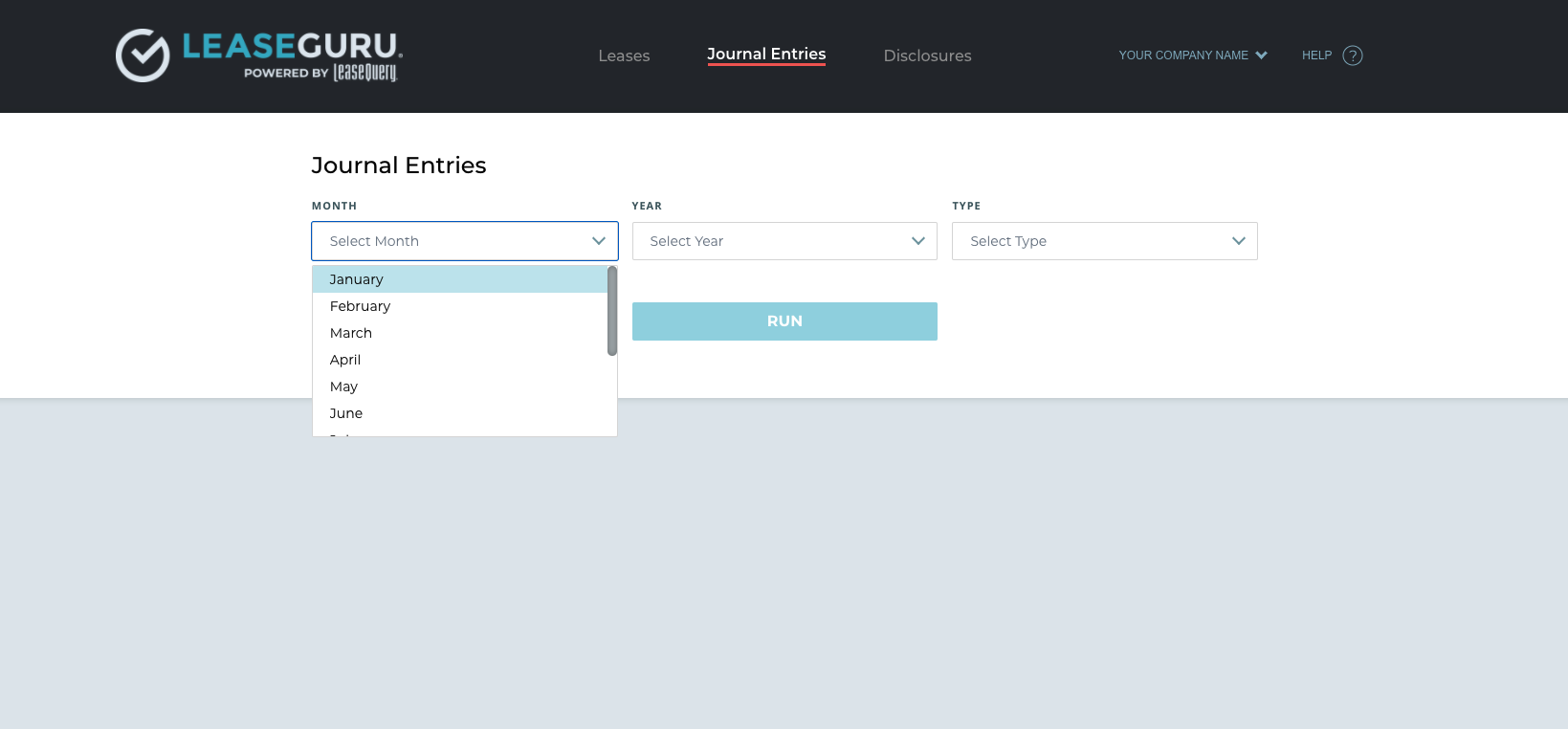
5. Select the type of journal entry that you would like and the lease classification type.
6. Click the "Run" button to generate your journal entry. (Note: This may take a few minutes to populate)
Export a Journal Entry
To export journal entries to Microsoft Excel, you will need to have a LeaseGuru Premium plan.
1. Once you are on a premium plan, follow the steps above to run a journal entry.
2. When the journal entry has generated, select the "export to excel" button in the top right corner of the journal entry. This should automatically download your journal entry to your computer.
Journal Entries Before and After Transition
The effective month and year entered during the company set-up of your LeaseGuru account will be the company’s transition date. Journal entries run for any month/year prior to the transition date will be from the amortization table(s) calculated based on the company’s legacy guidance (i.e. ASC 840, IAS 17). Journal entries run for the effective year and month will be a combined entry including:
- The transition journal entry for the adoption of the applicable new lease accounting standard (i.e. ASC 842, IFRS 16) as of the first day of the effective month and year,
and
- The journal entry for the month’s activity based on the amortization table(s) completed using the company’s applicable new lease accounting standard (i.e. ASC 842, IFRS 16).
Journal entries run after the company’s transition date will be from the amortization table(s) calculated based on the company’s applicable lease accounting guidance (i.e. ASC 842, IFRS 16).
For example, if an entity enters January and 2021 as it's effective month and year during initial setup, LeaseGuru determines the transition date of that entity to be January 1, 2021. Journal entries run for dates prior to January 1, 2021 will follow legacy lease accounting standards. Journal entries for dates run for February 2021 and forward will follow the updated lease accounting standards. Finally, journal entries run for January 2021 will be a combined entry including the calculation of the initial lease liability and right of use asset, the impact of any remaining deferred or prepaid rent immediately prior to the transition on the opening asset balance, and the first month’s activity under the new lease accounting standard.
Frequently Asked Questions
- Why am I seeing an entry to accounts receivable? If you have entered an incentive paid at/before commencement, then this will generate an accounts receivable line in the entry.
- Why can't I export my journal entry? To export a journal entry, you will need to upgrade to a LeaseGuru premium plan.
- Can I run a journal entry for future months? In LeaseGuru, you can run journal entries up to the current month. For example, if the current month is March, then you may run journal entries for March, February, January or any months previously. However, you will not be able to run a journal entry for April until April 1st.