LeaseGuru Premium allows the ability to add an additional contributing user and/or a guest user with read-only access to your account. Follow the steps below to add or manage the users within your account.
Not a premium user? Follow these steps to upgrade your account.
How to Add a Contributing User*
*Note: Contributing users are currently only supported on single-company plans.
LeaseGuru Premium allows the addition of a second user who may access your lease portfolio and all information in your LeaseGuru account. This user has complete access to all leases in the account and reporting functionality. Follow these steps to add a contributing user.
1. Log in to LeaseGuru.
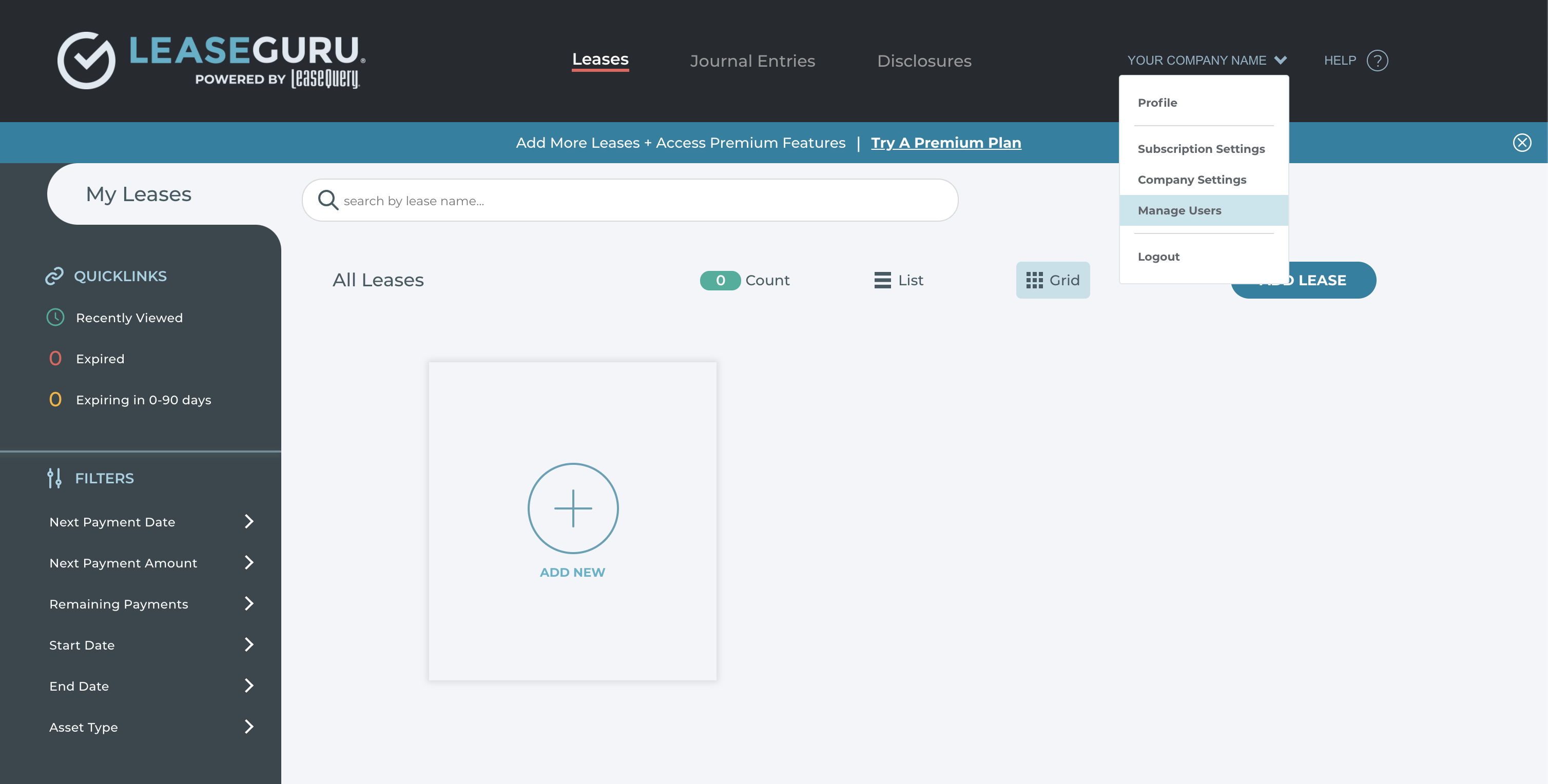
2. Select your company name in the top right corner and choose "Manage Users".
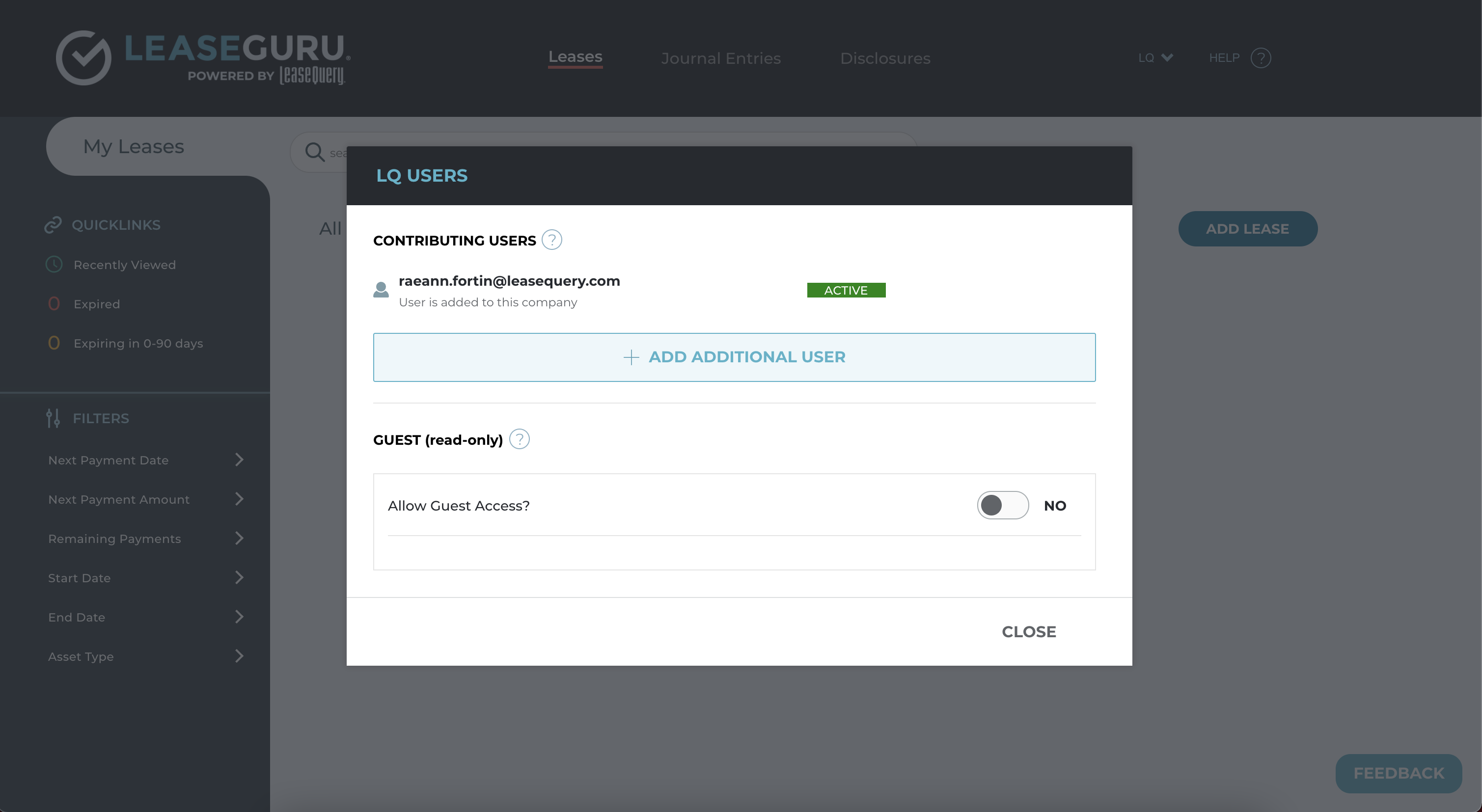
3. Select "Add Additional User".
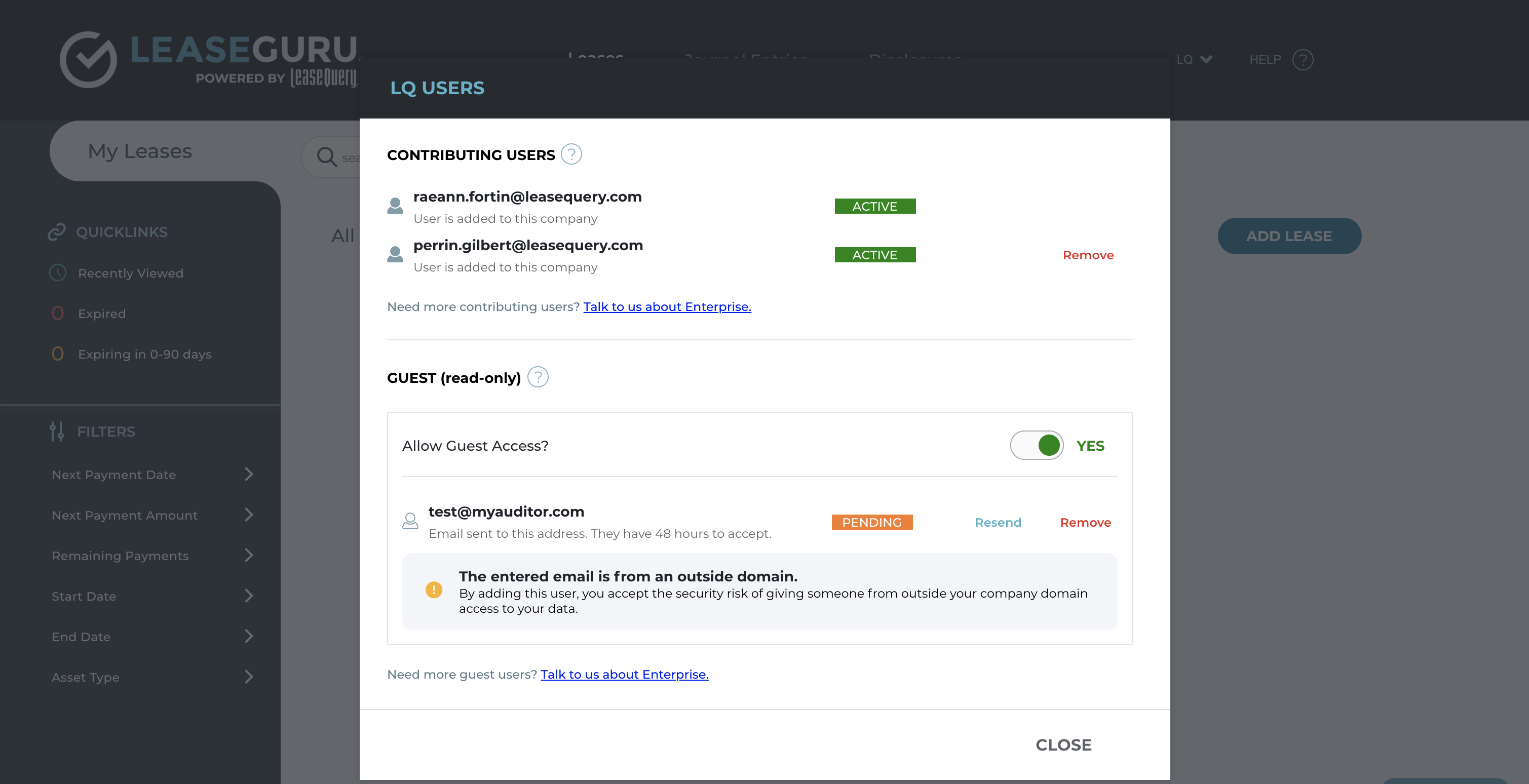
4. Enter the email of the individual you would like to add. Click "Add" to send them an email invitation to your account. (Please note: The email entered must match the same email domain as the email used to create the LeaseGuru account.)
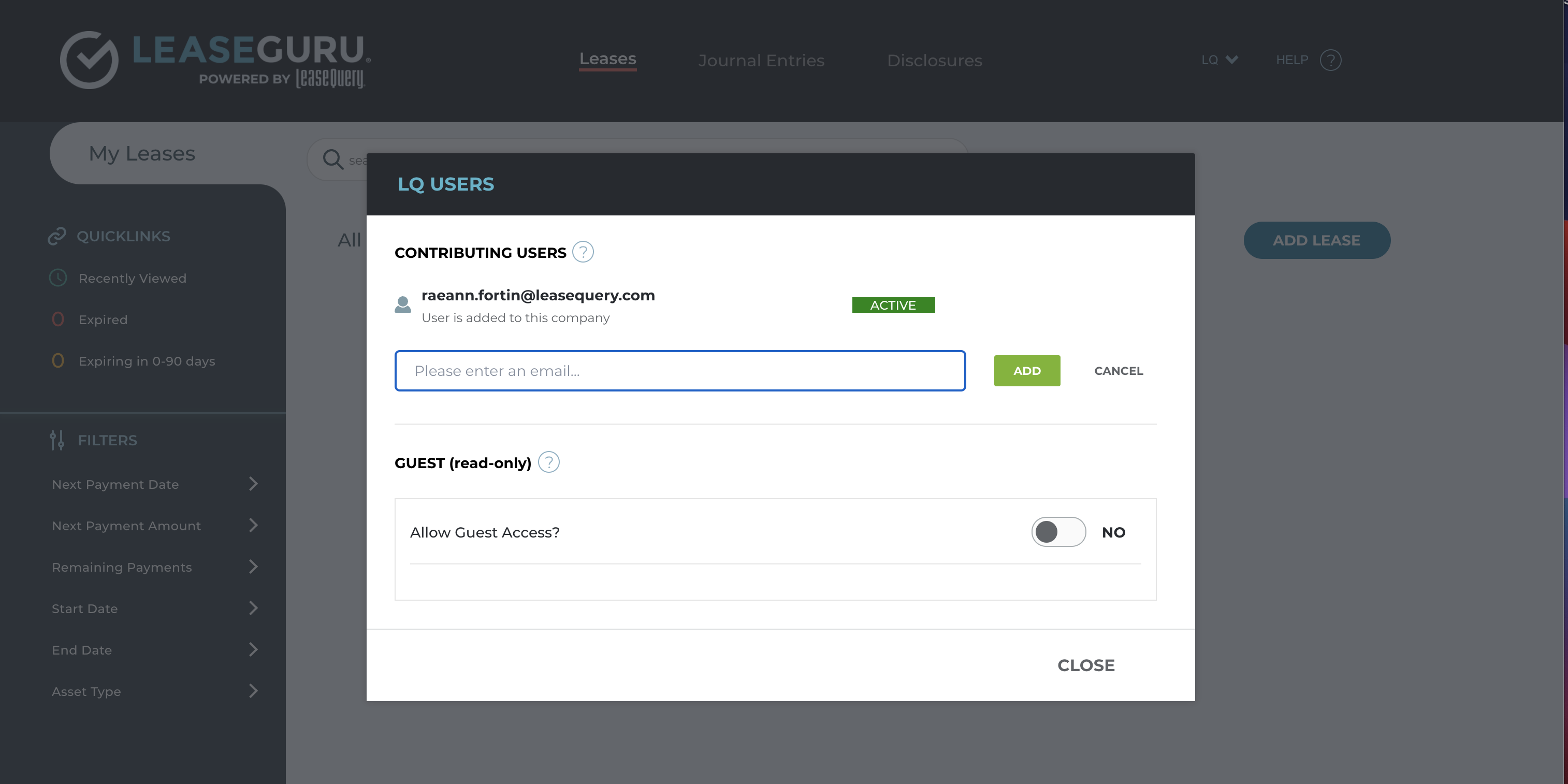
5. The user who was invited to your account will need to accept the invitation sent to their email and create a LeaseGuru account. Once the account is created, they will have read and write access to your account.
How to Remove a User
1. Log in to LeaseGuru.
2. Select your company name in the top right corner and choose "Manage Users".
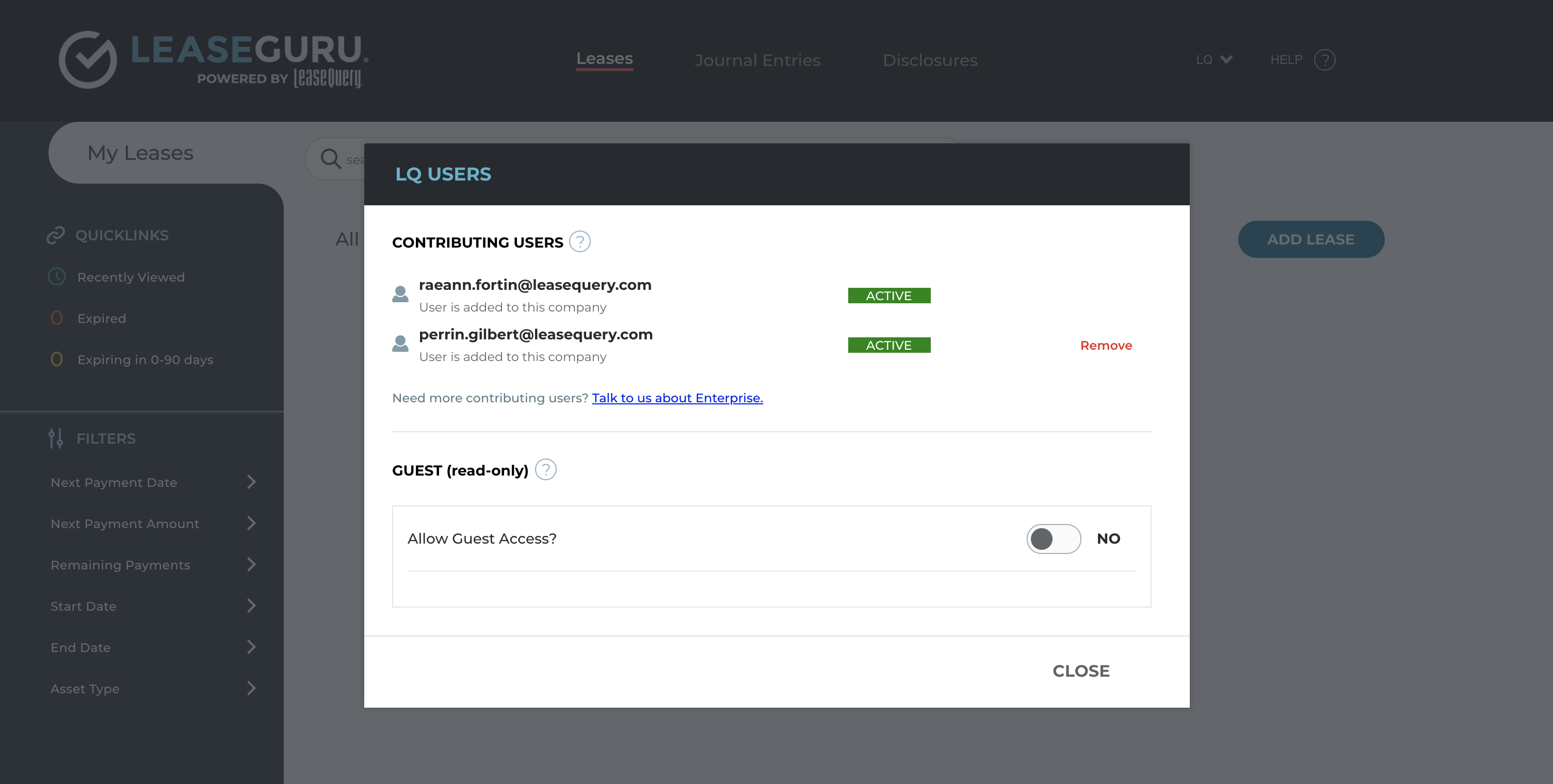
3. Select "Remove" to permanently remove the contributing user from your account.
How to Add A Guest User
LeaseGuru Premium allows the ability to add a Guest User with read-only access. This user will be able to view everything in your account and run reports, but they will not be able to edit any leases or account details. Follow these steps to invite a Guest User.
1. Log in to LeaseGuru.
2. Select your company name in the top right corner and choose "Manage Users".
3. Toggle the Guest User button to "Yes" and enter the email of the individual or auditor in which you would like to invite. Select "Add" to send them an email invitation to your account. (Please Note: This individual does not need to have the same domain as the account owner.)
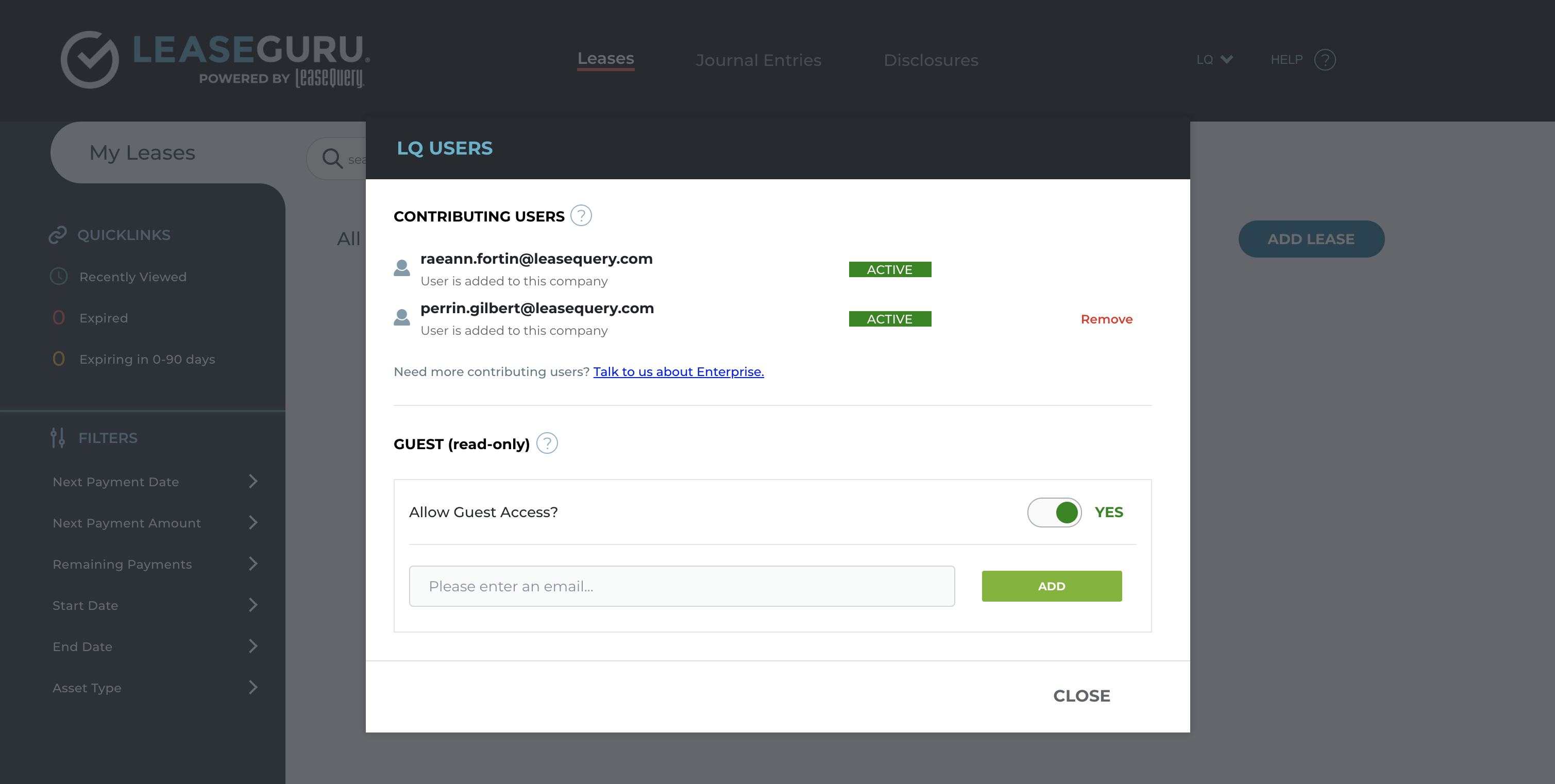
5. The invited user will need to accept the invitation sent to their email and create a free LeaseGuru account within 48 hours. Once the account is created, they will have read-only access to your account. You can check this section to see the status of the user and remove the user at any time.
*If the user does not accept the invite within 48 hours, you will need to resend the invite in your dashboard.