When creating your lease, attention to detail and accurate information will minimize the amount of manual work required on the back end. Remember, LeaseGuru manages the calculations, schedules, and reports for you - removing the guesswork and potential for human error. The system uses your data inputs so make sure that you double-check your information!
To create a new lease, navigate to the dashboard and select “Add New”.
General
Within the General tab, users will enter the basic information pertaining to the lease. All fields with a red star by the title are required fields and must be completed before moving on.
All leases will be named in the system based on the Asset Name.
In this article, we outline everything that pertains to the General tab, including:
-
Asset Name is the name that will be displayed for your reference in reporting and journal entries.
Lease Classification should reflect Operating or Capital/Finance. If you are unsure, select the radio button next to Help Me Decide.
Description is a free text field - enter identifying information about your lease.
Asset Type is the identifying type that your leased asset is. This could be Land, Building, Vehicle, Equipment, or Other.
Serial/ ID Number is your internal asset tracking number. It may be the serial number of the asset or a different ID or tracking number.
Address is the physical location of your asset.
Once complete click the next tab to move to the next section 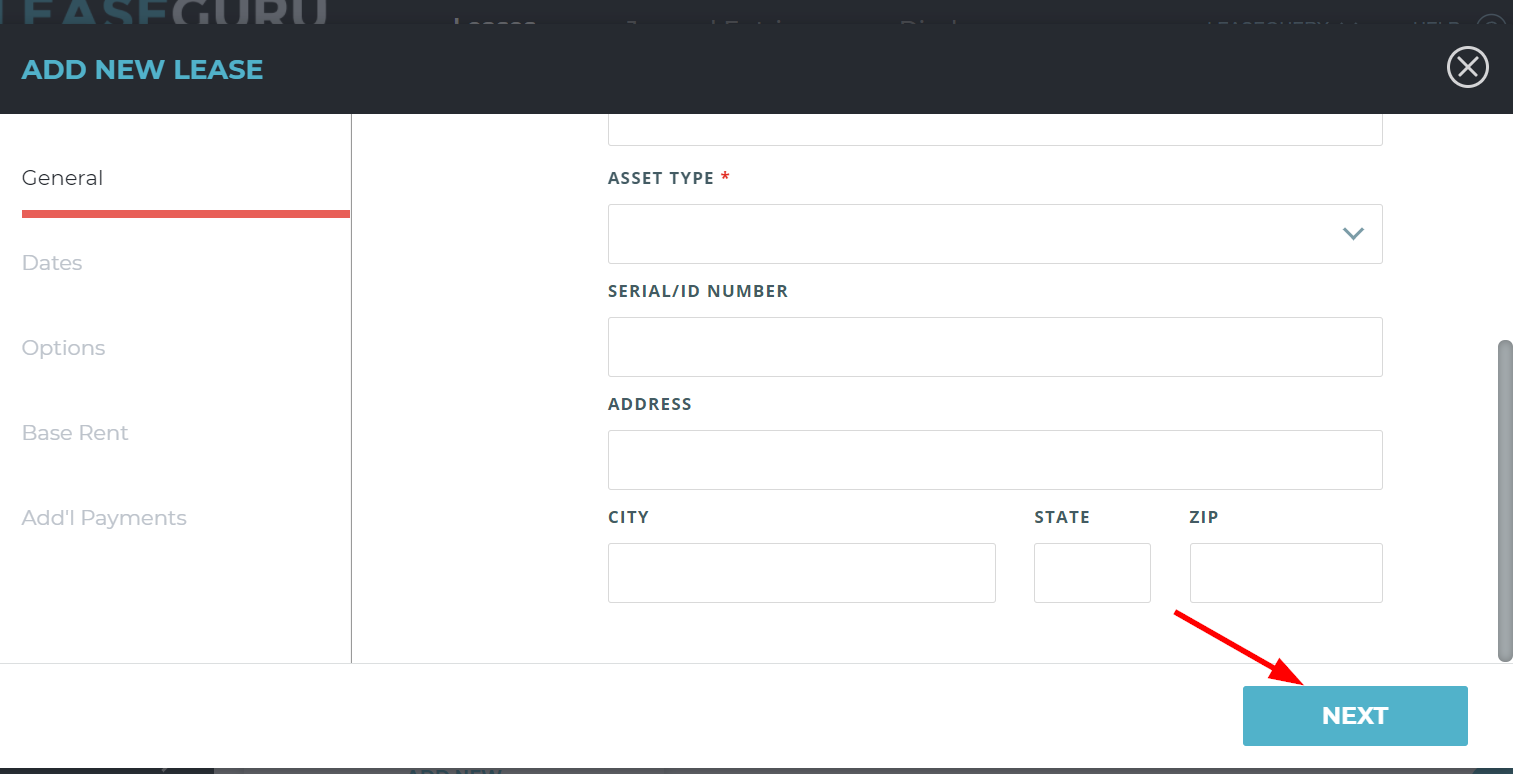
Dates
While entering your lease in the "Dates" section, you may enter in any relevant dates pertaining to a lease including Possession Date, Lease End Date and Useful life in months. Any dates entered in this section will be reflected in your lease details. All fields with a red star next to them are required.
- Possession Date - this date represents the date in which the lessee physically obtains the asset or the date in which the lessor offers no barrier to obtaining access to the leased asset. The straight-line amortization schedule starts from this date.
- Lease End date - the lease end date stands as the final date of all rental periods noted within the lease agreement that are reasonably likely to occur. The straight-line amortization schedule ends with this date.
- Useful Life - the period of time the asset will be in service, stated in months. This is an internal trigger of the finance (capital) versus operating lease test. Useful life of an asset is not something LeaseGuru can advise users on. Each organization should administer and abide by its own internal policies and controls for each asset.
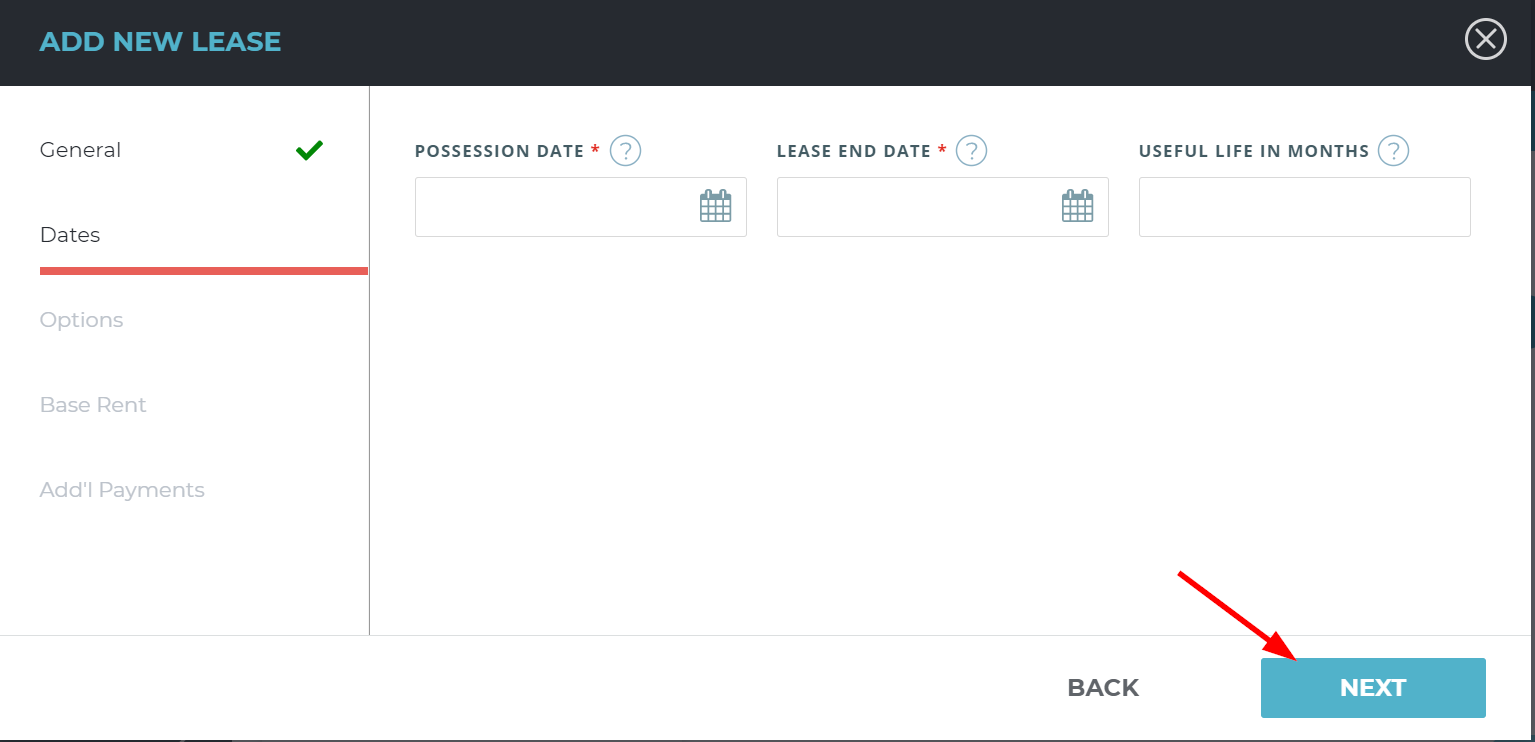
Once complete, click the Next tab to go to the next step.
Options
This next section is the options tab.
Responses will be Yes/No.
- Is the asset specialized in nature?
- Select YES if the asset is expected to have no alternative use at the end of the lease term. For example, if the original asset is used to house employees, but will later be converted into residential property, you would select NO, as this would be considered an alternative use.
- Title transfer at lease end?
- If YES is selected, the asset's title will transfer to the lessee at the end of the lease.
- Is there a renewal option?
-
If YES, enter the renewal information. If there are additional renewal options - add each option individually.
-
If a renewal option is marked as reasonably certain to exercise, the option term will be included in the total lease term. This option will affect the amortization schedule.
The schedule will start at the lease possession date and end at the renewed end date, rather than the original end date previously entered.
-
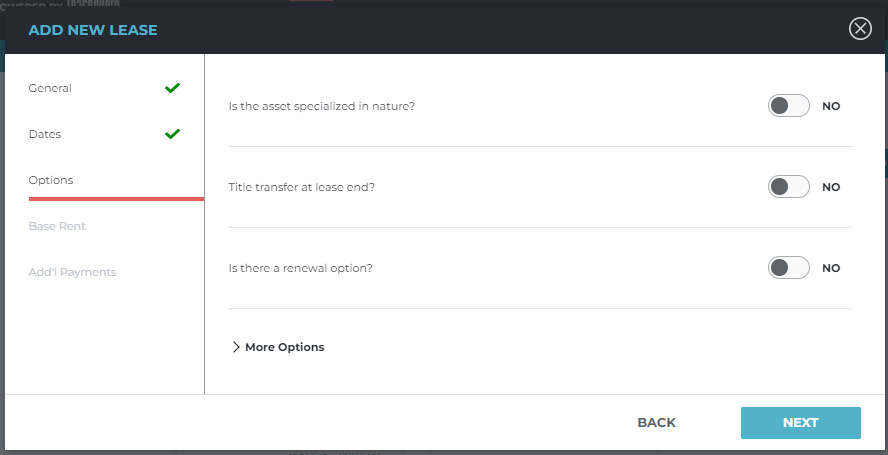
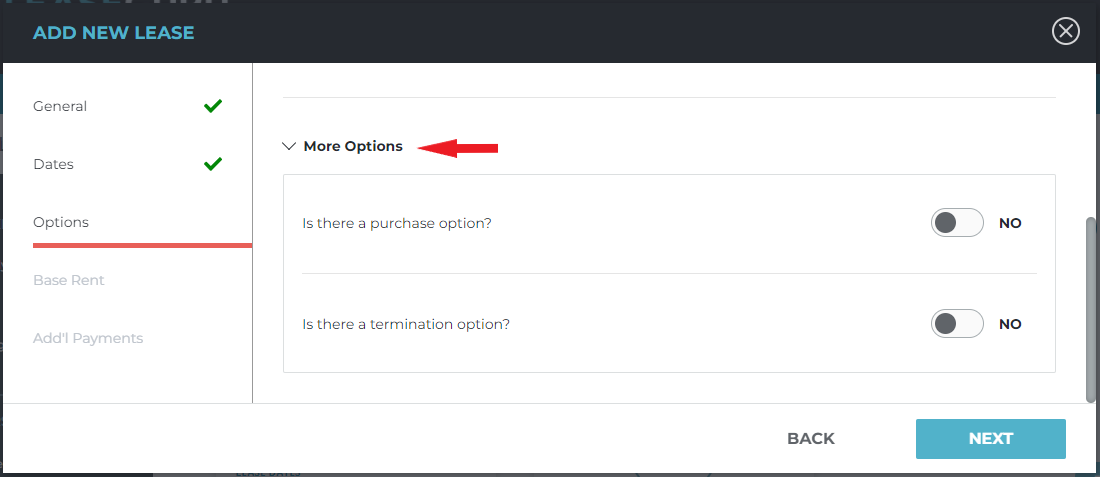
More Options
- Is there a purchase option?
- If there is a purchase option for your lease, enter the purchase amount.
- A bargain purchase option is defined as an option to purchase the asset at a sufficiently lower rate than the expected fair value at the date the option becomes exercisable. For example, a tenant has the option to purchase the asset at a reduced rate of $50.00, if written notice is provided to the lessor 60 days prior to the end of the lease term that they want to purchase the asset.
- Is there a termination option?
- If there is an option to terminate the lease, enter the amount outlined to terminate in the indicated field.
Base Rent
Required Fields
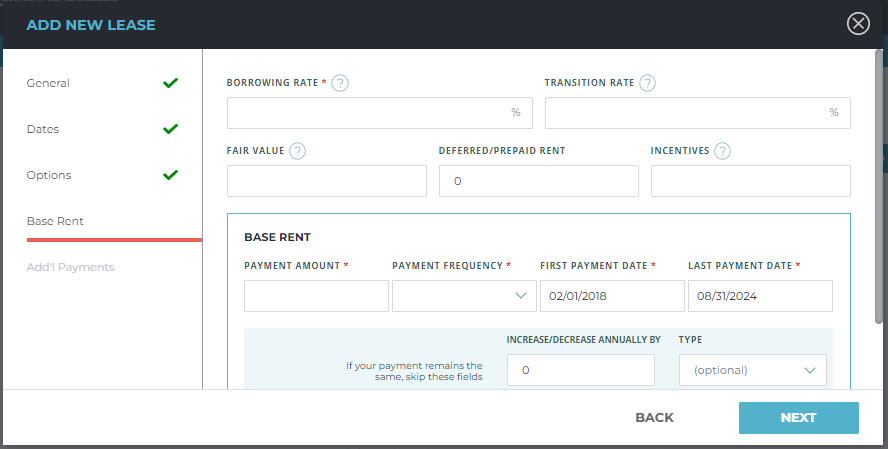
All fields with a star by the title are required to be completed.
- Borrowing rate is the lease-specific borrowing rate which is used to determine the net present value (NPV) of the lease payments.
- Payment Amount is the cash payment that you are making for your lease.
- Payment Frequency will determine how often you make your payments. This can be monthly, quarterly, or one time.
- First Payment Date is the date that your payment begins for your lease.
- Last Payment Date should be the last day that you are making payments on your lease.
- Rent Abatement is an agreement between the lessor and lessee that provides free rent for a period of time.
- If you wish to enter a rent abatement, your first payment date should be the date you begin your first payment and the system will record a $0 payment amount for any months prior.
You should complete the optional fields in the shaded box if your payments change annually by a constant rate, such as a 5% annual increase, or a $75.00 annual increase.
Additional Fields
- Transition rate is the lease-specific transition rate which is used to determine the net present value of the lease payments for leases that continue past the month of transition.
- Fair Value is the amount at which an asset could be exchanged between knowledgeable and willing parties at inception of the leased asset. You are not required to enter this field unless you select the "help me decide" option on the "General" tab during lease entry. The "Help me decide" selection allows the system to determine the lease classification as operating or capital/finance.
- Modifying your lease as of an effective date will require a new evaluation of fair value to be performed.
- (Deferred)/Prepaid rent is the field where you enter your accrued deferred/prepaid balance from your ASC 840 or Legacy rent schedule.
- Incentives: A lease incentive at commencement is an inducement for a lessee to sign a lease.
Custom Payments
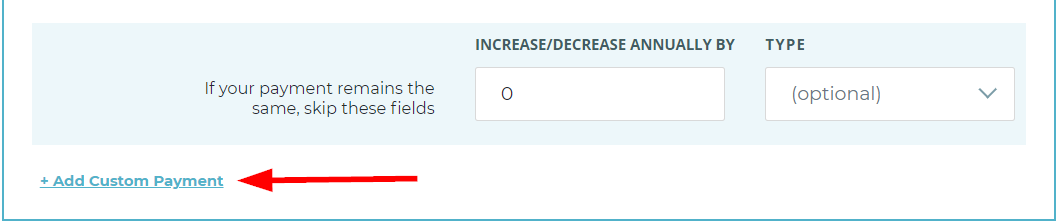
If you have a custom payment, then you may add this by selecting "Add Custom Payment". This applies if your payments change, but the terms by which they change are not constant. By selecting this option, you can enter payment amounts by varying date ranges.
Once payment amounts are entered, you will need to select the frequency in which the payments occur. The following are the payment frequency options:
- Monthly
- Quarterly
- Annually
- One Time
Lastly, you should enter the "First Payment Date" and the "Last Payment Date" for each payment as applicable.
Additional Payments
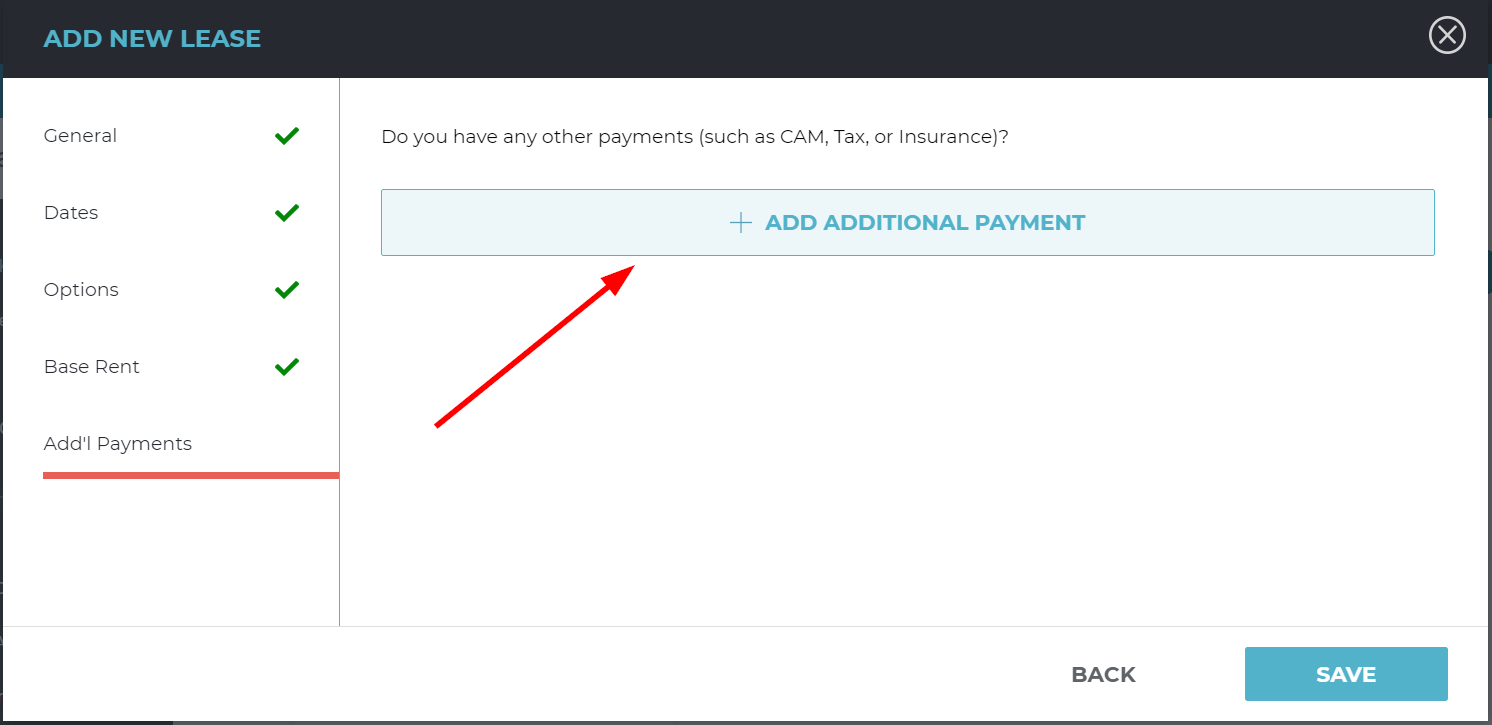
If you have any variable or fixed payments like common area maintenance (CAM), tax or insurance, then you would enter those into the "additional payments" section during lease entry. Once you select “Add Additional Payment”, you may select which type of payment it is (variable or fixed) and can enter in the additional payment amount similar to how you would for base rent.